The Correct Answer and Explanation is:
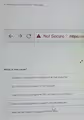
Based on the browser warning shown in the image, here is the correct answer and a detailed explanation.
Correct Answer: The most probable reason for the “Not Secure” warning on an HTTPS website is the presence of mixed content, where insecure elements are loaded on a secure page.
Explanation
The “Not Secure” warning on a website with an “https://” address seems contradictory, but it serves as a critical security alert from your browser. The “https” prefix indicates that the website uses the Hypertext Transfer Protocol Secure, which is designed to encrypt the connection between your browser and the website’s server using an SSL/TLS certificate. This process protects sensitive data, such as passwords or financial information, from being intercepted. However, if any part of that security chain is broken, the browser will flag the entire page as not secure.
The most common cause for this warning is an issue known as mixed content. This occurs when the main webpage is loaded securely over HTTPS, but it contains links to other resources like images, videos, stylesheets, or scripts that are loaded over an insecure HTTP connection. While the initial page request was encrypted, these insecure elements were not. An attacker could potentially intercept or modify these unsecured elements to compromise the page. For example, a malicious actor could replace a benign script with one that steals user data or inject unwanted ads. Because the integrity of the entire page cannot be guaranteed, the browser warns the user.
Other potential reasons for the warning include problems with the website’s SSL/TLS certificate itself. The certificate might be expired, meaning its validity can no longer be confirmed. It could also be configured for a different domain name, creating a mismatch that browsers cannot trust. Furthermore, the server might be using outdated and weak encryption protocols that are no longer considered safe against modern cyberattacks. In all these cases, the browser’s warning is a proactive measure to protect you from potential security vulnerabilities, signaling that the connection is not fully secure as it should be.