Write a program that draws a stoplight. You should have a gray rectangle, and then three circles in the rectangle. The circles should be red, then yellow, then green.
The rectangle should be centered on the screen. The yellow light should be centered on the screen, and the red and green light should be offset by BUFFER amount. BUFFER amount represents the distance from the center of one circle to the center of another circle.
Implement the function draw_circle that draws a single circle. Use it to draw the red, yellow, and green lights. Since all of the lights are the same size and aligned vertically, the function only needs to take the y position and color as arguments.
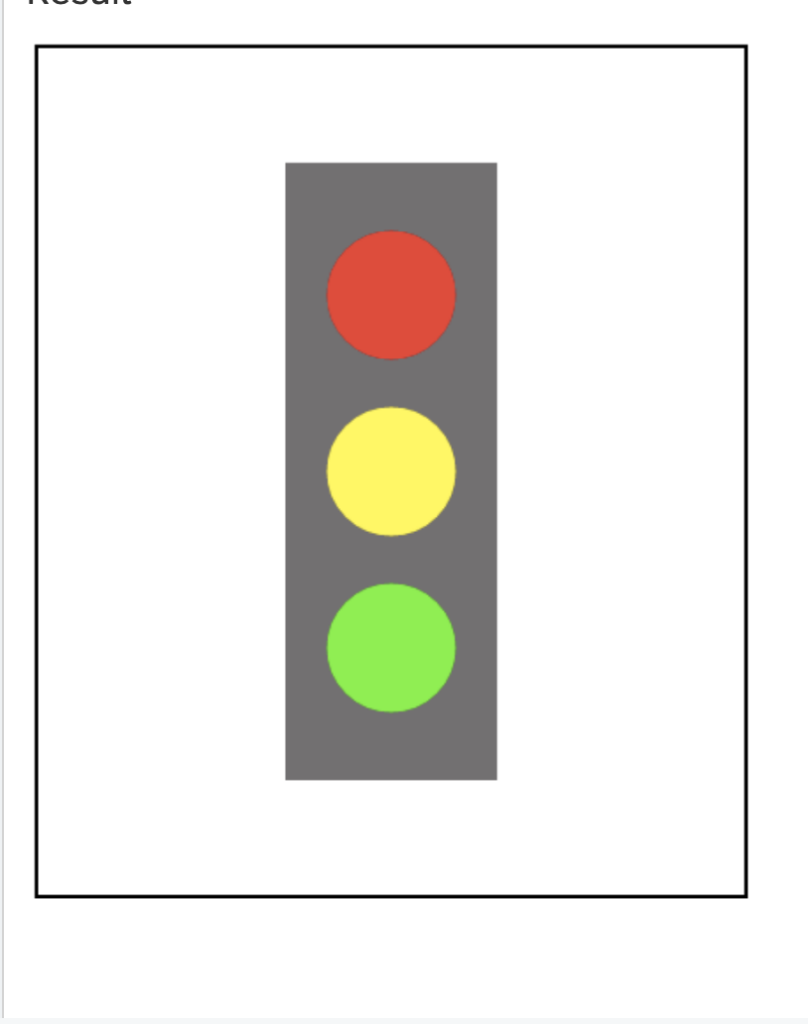
The correct answer and explanation is:
Here is a Python program using the Pygame library to draw a stoplight:
import pygame

# Constants
WIDTH, HEIGHT = 400, 600
RECT_WIDTH, RECT_HEIGHT = 150, 400
CIRCLE_RADIUS = 40
BUFFER = 100  # Distance between the centers of the circles
RECT_COLOR = (100, 100, 100)  # Gray color
RED = (255, 0, 0)
YELLOW = (255, 255, 0)
GREEN = (0, 255, 0)

# Initialize Pygame
pygame.init()
screen = pygame.display.set_mode((WIDTH, HEIGHT))
pygame.display.set_caption("Stoplight")

def draw_circle(y, color):
    """Draws a single circle at the given y-position with the specified color."""
    pygame.draw.circle(screen, color, (WIDTH // 2, y), CIRCLE_RADIUS)

def draw_stoplight():
    """Draws the stoplight with three lights and a gray rectangle."""
    rect_x = (WIDTH - RECT_WIDTH) // 2
    rect_y = (HEIGHT - RECT_HEIGHT) // 2
    pygame.draw.rect(screen, RECT_COLOR, (rect_x, rect_y, RECT_WIDTH, RECT_HEIGHT))

    # Calculate the y-positions of the lights
    center_y = HEIGHT // 2
    red_y = center_y - BUFFER
    yellow_y = center_y
    green_y = center_y + BUFFER

    # Draw the lights
    draw_circle(red_y, RED)
    draw_circle(yellow_y, YELLOW)
    draw_circle(green_y, GREEN)

# Main loop
running = True
while running:
    screen.fill((255, 255, 255))  # White background
    draw_stoplight()
    pygame.display.flip()  # Update display

    for event in pygame.event.get():
        if event.type == pygame.QUIT:
            running = False

pygame.quit()
Explanation (300 words):
This program creates a stoplight using Pygame, a popular Python library for graphics. The window size is set to 400×600 pixels, and the stoplight consists of a gray rectangle with three circles (red, yellow, and green) arranged vertically.
- Constants and Initialization:
- The window dimensions are defined as
WIDTH = 400andHEIGHT = 600. - The stoplight rectangle has a fixed size (
RECT_WIDTH = 150,RECT_HEIGHT = 400). CIRCLE_RADIUS = 40ensures the lights are of uniform size.BUFFER = 100controls the vertical spacing between the circle centers.- Colors for the rectangle and circles are defined using RGB values.
- The window dimensions are defined as
draw_circle(y, color)function:- This function draws a circle at the center of the screen (
WIDTH // 2) and a specifiedyposition. - It takes the color as an argument to differentiate between the three lights.
- This function draws a circle at the center of the screen (
draw_stoplight()function:- This function first calculates the coordinates for the rectangle so that it is centered.
- It then calculates the
ypositions of the circles based onBUFFER. - The red, yellow, and green lights are drawn at the correct positions using
draw_circle().
- Main Loop:
- The screen is continuously updated within a loop.
pygame.display.flip()refreshes the display to show the stoplight.- The program listens for a quit event (
pygame.QUIT) to close the window.
This approach modularizes the drawing process, making it easy to adjust and extend.