The Correct Answer and Explanation is:
The correct answer is: Right-click on the set -> Conversion
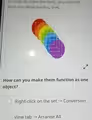
This answer describes the correct procedure for combining multiple, separate shapes into a single functional unit in many design and presentation software programs. The core concept at play is typically called “grouping” or “combining.” When you have several distinct objects, like the individual colored circles shown in the image, treating them as one entity is essential for efficient workflow. Grouping allows you to move, resize, rotate, and apply formatting, such as shadows or borders, to all the component objects simultaneously, without altering their positions relative to one another.
The process almost always begins with selecting all the objects you wish to consolidate. This can be done by clicking and dragging a selection box around the entire set or by clicking each object individually while holding down a modifier key like Shift or Control. Once all the desired objects are selected, a right-click action opens a context-sensitive menu. This menu provides commands that are relevant to the selected items. The term “Conversion” in the provided answer likely refers to the software’s specific command for converting the selected individual shapes into a single, composite object. In other common applications, this command might be labeled as “Group,” “Combine,” or “Union.”
The alternative option, “view tab -> Arrange All,” is incorrect because it serves a completely different purpose. The “View” tab in most software controls how the application window and its contents are displayed, not how the objects within a file are manipulated. The “Arrange All” command is used for window management. For instance, if you had multiple documents or presentations open, this function would tile or cascade the windows on your screen so you could see all of them at once. It does not affect the shapes on your canvas or slide; it only rearranges the program windows themselves. Therefore, it would not make the separate circles function as one object.